🧩Embed System Guide (Embeds Command)

circle-check
circle-exclamation

Attention we've enclosed the snaps below every table which may helps you to understand virtually to create, edit, delete, list, send, re-send a embed

βš™οΈ Note

  • Options in brackets [] are optional.

  • Supports dynamic emoji replacement using {emojiname:emojiName} and newlines via {newline} in the description.

  • All actions are logged, and permission checks are enforced before execution.

  • Only users with Manage Guild permission can execute these commands.

πŸ““Embed Message Create

Command
Usage
Description

/embeds create

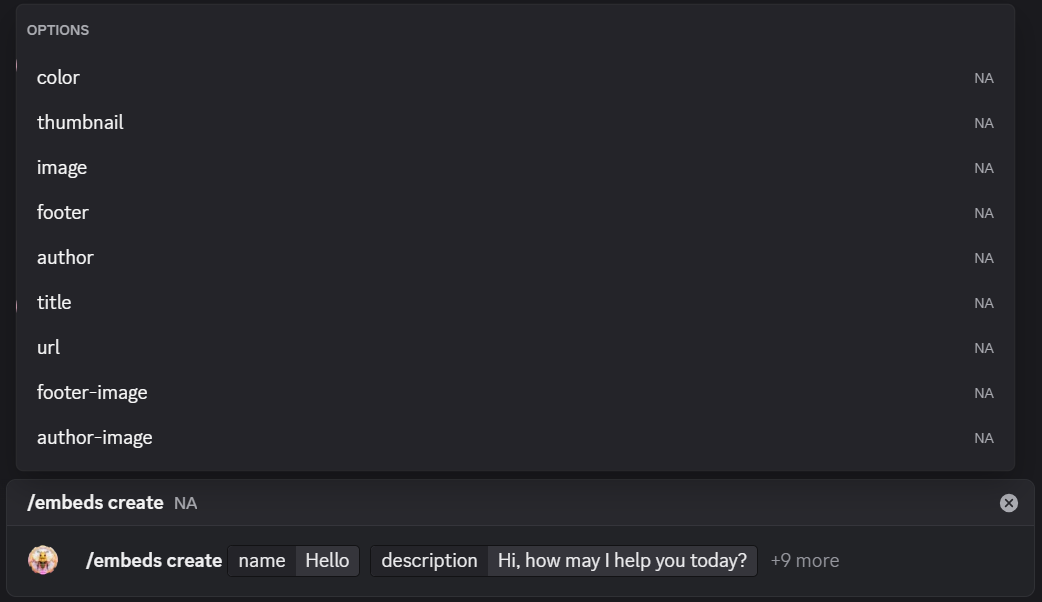
Usage : /embeds create name:<text> description:<text> [color:<hex>] [thumbnail:<url>] [image:<url>] [footer:<text>] [author:<text>] [title:<text>] [url:<url>] [footer-image:<url>] [author-image:<url>]

Creates a new custom embed with the provided content and styling options. Requires Manage Guild permission.

above image shows the embed creation command
input's given to create a new embed message
optional option's you can customize your own embed message
on a successful creation of the embed you will get confirmation notification that your embed message is created

πŸ““Embed Message Edit

Command
Usage
Description
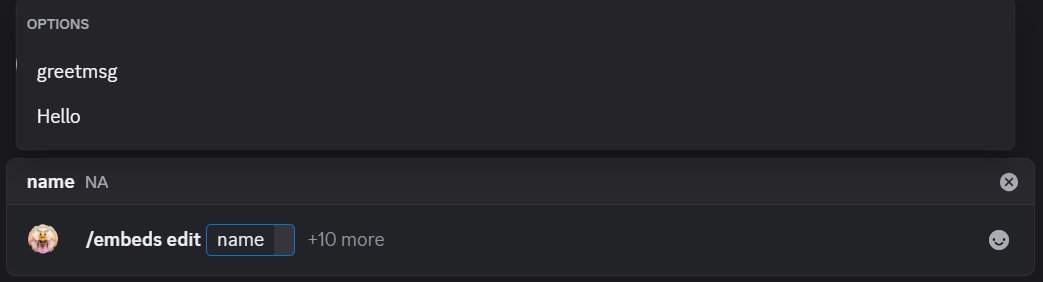
/embeds edit

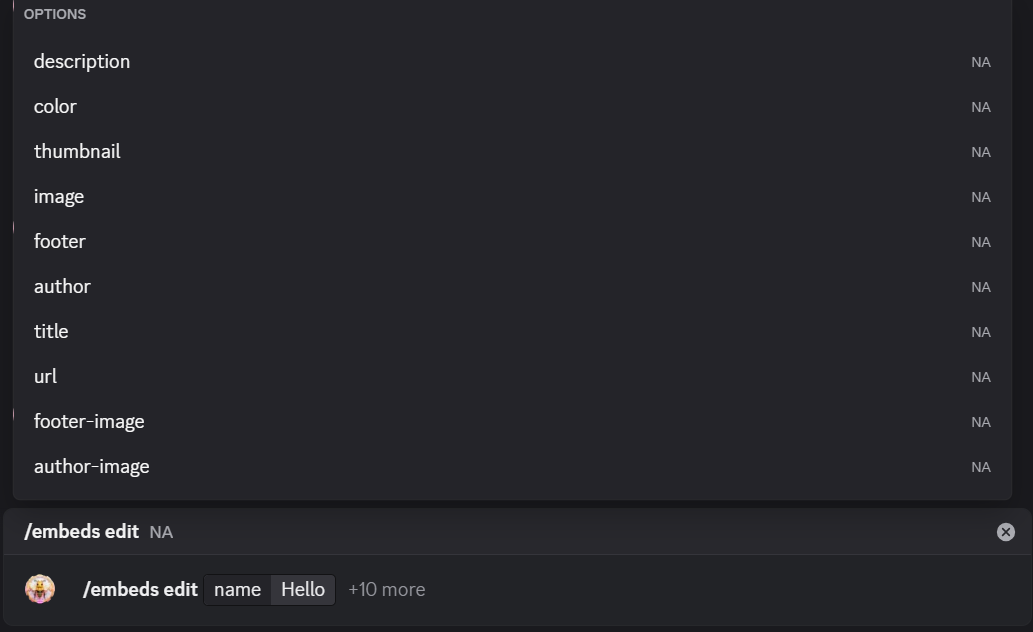
Usage : /embeds edit name:<existing> [description:<text>] [color:<hex>] ...

Updates an existing embeds content or styling. Requires Manage Guild permission.

here we're only editing embed colour as an example
output before edit
output after edit

πŸ““Embed Message List

Command
Usage
Description

/embeds list

Usage : /embeds list

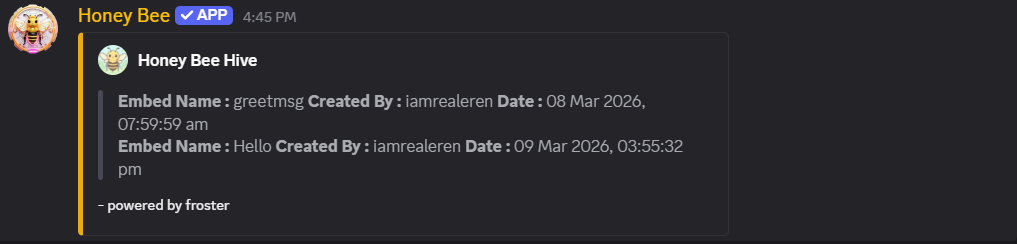
Lists all stored embeds in the current server with name, creator, and creation time. Requires Manage Guild permission.

command to display all your embeds created for your server
name of the embed, who created it along with date and time will display

πŸ““Embed Message Delete

Command
Usage
Description

/embeds delete

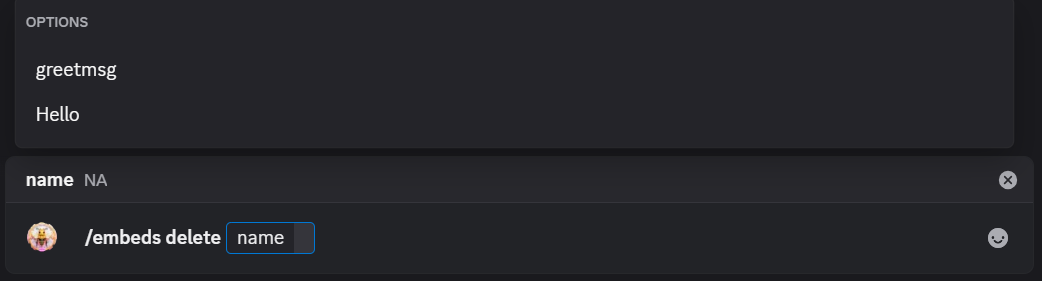
Usage : /embeds delete name:<existing>

Deletes an embed by name from the database. Requires Manage Guild permission.

command to delete your embed message
list the embed messages created for your server
picked the embed which need
embed deleted successfully
embed list display after deletion

πŸ““Embed Message Send

Command
Usage
Description

/embeds send

Usage : /embeds send name:<existing> channel:<#channel>

Sends a stored embed to a specified text or announcement channel. Emojis are auto-replaced. Requires Manage Guild permission.

embed sending command
embed list to send
embed sending to respective channel

πŸ““Embed Message Re-Edit / Re-Send

Command
Usage
Description

/embeds re-send

Usage : /embeds re-send name:<existing> messageid:<id> channel:<#channel>

Replaces an existing message (by message ID) with a stored embed in the target channel. Requires Manage Guild permission.

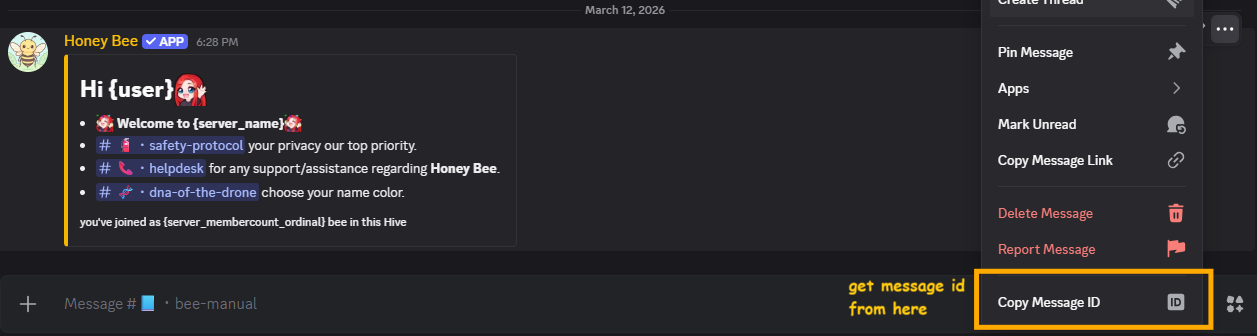
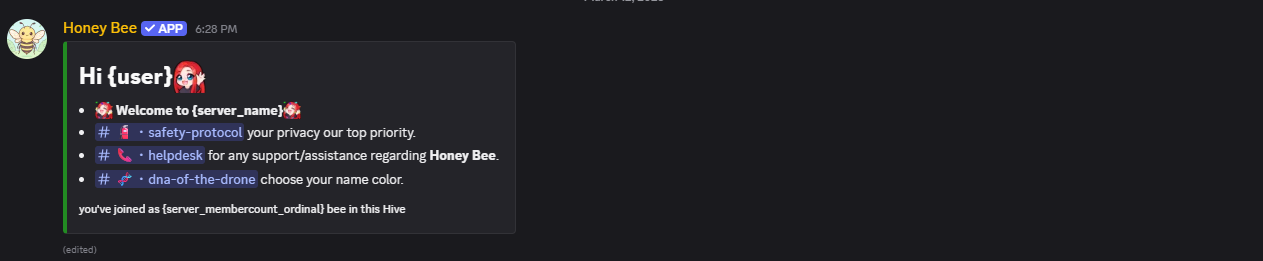
re-editing the message border colour from yellow to green of a embed message
embed re-send command
copy the message id for the embed message which you need to update
giving the inputs for updating the embed message
final result after the embed message updated the message border colour to green

Last updated